· Knowledge Base · 12 min read
Top 25 Staff Management Tools for 2026
Top 25 staff management tools for 2026 compared. Covers scheduling, time tracking, payroll, and pricing for small businesses.
What Is Staff Management Software
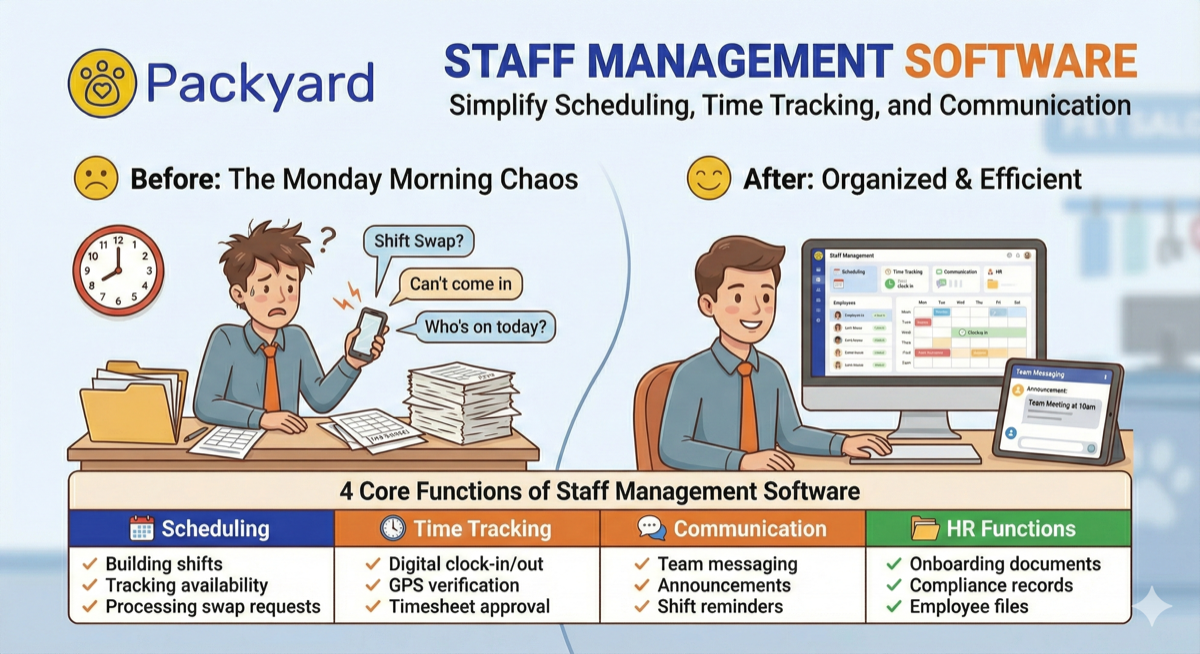
It’s 8:47am Monday. You’re standing at the front desk trying to remember who’s actually working today while your phone buzzes with three separate text threads about shift swaps. Last week’s timesheets are still sitting in a folder somewhere, unreconciled. That’s 45 minutes of chaos before you’ve helped a single customer.
Staff management software puts scheduling, time tracking, communication, and payroll into one platform. Instead of juggling spreadsheets, group texts, and paper timesheets, everything lives in the same place. The category includes tools like Connecteam and Deputy for hourly teams, BambooHR and Gusto for HR and payroll, and industry-specific platforms for businesses with specialized workflows.
A staff management system typically handles four core functions:
- Scheduling: Building shifts, tracking availability, processing swap requests
- Time tracking: Digital clock-in/out, GPS verification, timesheet approval
- Communication: Team messaging, announcements, shift reminders
- HR functions: Onboarding documents, compliance records, employee files
General-purpose tools work well for many businesses. However, appointment-based operations like grooming salons, spas, and clinics often find that shift-focused software misses critical workflows. Service stacking, client records, and checkout integration require different architecture than simple shift coverage.
How Staff Management Software Works
The basic workflow follows a loop: a manager builds a schedule, employees receive it on their phones, staff clock in and out during shifts, and hours sync automatically to payroll. No re-entering data. No chasing paper timesheets at the end of the week.
Mobile access makes this work for people who don’t sit at desks. The retail associate checking inventory, the field technician driving between jobs, the groomer moving between tables. Everyone views schedules, requests time off, swaps shifts, and clocks in from the same app.
Most platforms connect to payroll providers or include payroll directly. When time tracking and payment processing talk to each other, the manual reconciliation that causes Friday afternoon headaches disappears.
Top 25 Staff Management Tools Ranked
The right tool depends on your industry, team size, and existing systems. Here’s how the leading options break down.
Packyard
Best for: Pet service businesses with appointment-based workflows
Built by groomers with 40+ years of industry experience, Packyard handles grooming-native scheduling with service stacking, automated SMS reminders, and native Square integration. Client and pet records live in one place, so any team member can pick up where the last visit left off. Pricing is $49/month per groomer. Unlimited locations, appointments, customers, pets, and texts included.
Connecteam
Best for: Deskless and hourly teams wanting an all-in-one solution
GPS time tracking, task management, internal communications, and training modules in one platform. Works particularly well for field teams without fixed workstations. Free tier available for small teams.
Gusto
Best for: Small businesses combining payroll with basic HR
Full-service payroll, benefits administration, and onboarding. Less focused on scheduling, so better suited for businesses where payroll complexity outweighs shift management.
Deputy
Best for: Retail and hospitality with complex shift patterns
Shift swapping, demand forecasting, and compliance alerts. Strong integrations with POS systems and payroll providers. Per-user pricing scales with team size.
Homebase
Best for: Small businesses testing staff management tools
Free tier includes scheduling, time tracking, and team messaging. A solid starting point for single-location shops before committing to paid solutions.
When I Work
Best for: Restaurants and retail operations
Shift scheduling with labor cost tracking and easy shift swaps. Mobile-first design works well for teams that rarely sit at computers.
7shifts
Best for: Restaurant-specific operations
Tip pooling, labor compliance, and deep POS integrations built specifically for food service. Understands restaurant workflows that generic tools miss.
Sling
Best for: Budget-conscious businesses
Free scheduling tier with paid upgrades for time tracking and labor cost features. Good entry point, though integrations are limited.
Buddy Punch
Best for: Businesses prioritizing timesheet accuracy
GPS punch verification, PTO management, and payroll integrations. Focuses more on time tracking than scheduling features.
Clockify
Best for: Project-based teams and contractors
Free time tracking with manual and timer-based options. Better for tracking billable hours than managing shift-based teams.
Hubstaff
Best for: Remote and distributed field teams
GPS tracking, optional screenshots, and productivity metrics. Useful for monitoring remote workers, though the surveillance features aren’t right for every workplace culture.
BambooHR
Best for: Growing companies building HR infrastructure
Full HRIS platform with employee records, performance management, and applicant tracking. Less about daily scheduling, more about HR administration.
Paychex Flex
Best for: Businesses wanting dedicated support
Payroll and HR suite with tax filing, benefits, and compliance. Enterprise-oriented with corresponding pricing.
ADP Workforce Now
Best for: Mid-to-large companies with complex requirements
Enterprise workforce management covering payroll, talent management, and analytics. Overkill for small teams.
Workday
Best for: Large organizations with deep reporting requirements
Enterprise-grade HCM with financial management and workforce planning. Significant implementation investment required.
Zoho People
Best for: Businesses already using Zoho products
Affordable HRIS with leave management, timesheets, and performance reviews. Best value when combined with other Zoho tools.
Paylocity
Best for: Mid-market companies wanting modern interfaces
Payroll plus employee experience features including social collaboration and learning management.
Rippling
Best for: Tech-forward companies managing devices and access
Combines IT and HR in one system, covering device management, app provisioning, and payroll. Unique approach for tech-heavy operations.
UKG Ready
Best for: Healthcare and manufacturing
Formerly Kronos. Strong in workforce management, scheduling, and compliance for regulated industries.
Square Team Management
Best for: Businesses already using Square POS
Built into Square with scheduling, timecards, and permissions. Seamless if you’re in the Square ecosystem, though limited compared to dedicated tools.
Toast
Best for: Restaurants wanting integrated operations
Restaurant POS with team scheduling, payroll, and tip management. All-in-one for food service.
Jobber
Best for: Home service businesses
Field service focus with scheduling, quoting, and invoicing for HVAC, cleaning, and similar trades.
ServiceTitan
Best for: Enterprise-level trades
Dispatching, customer management, and reporting for plumbing, electrical, and HVAC at scale.
MoeGo
Best for: Pet grooming businesses evaluating options
Appointment booking, client records, and messaging. A competitor in the pet service space.
Gingr
Best for: Pet daycare and boarding facilities
Reservations, vaccination tracking, and reporting designed for pet care operations.
Key Features to Look For in Employee Management Software
Not every feature matters equally for every business. Here’s what drives real operational value.
Scheduling and shift management forms the foundation. Drag-and-drop builders, shift templates, swap request workflows, and conflict detection all reduce the time spent building and fixing schedules. If scheduling is broken, everything downstream suffers.
Time tracking and attendance connects directly to payroll accuracy. Digital clock-in/out, GPS verification for field teams, and timesheet approval workflows prevent disputes and errors before they reach the payroll stage.
Payroll and payment integration eliminates manual data entry. Native connections to Square, QuickBooks, or built-in payroll mean hours flow automatically to paychecks without re-keying numbers.
Team communication keeps conversations tied to work context. In-app messaging, announcements, and shift reminders replace scattered text threads across personal phones. When someone says “I didn’t see the message,” you can check whether they actually received it.
Reporting and analytics surface patterns you’d otherwise miss. Labor costs by day, attendance trends, overtime alerts. Data-driven scheduling decisions beat gut feelings.
Mobile app access is non-negotiable for deskless teams. If employees can’t view schedules and clock in from their phones, adoption will fail.
Benefits of Using a Staff Management System
The payoff shows up in concrete numbers, not abstract efficiency gains.
Automated conflict detection catches double-bookings before they become problems. You stop discovering coverage gaps at 8am when it’s too late to fix them.
Time spent on manual scheduling, chasing confirmations, and fixing timesheets gets reclaimed. Most managers report saving 3-5 hours per week on administrative tasks. That’s 150-250 hours annually, or roughly six full work weeks.
One place for announcements, shift changes, and questions means “I didn’t see the text” stops being an excuse. Automatic records of clock-ins, breaks, and overtime create audit trails useful for labor law compliance and resolving disputes—critical since 50% of employees will look for a new job after just two payroll errors.
How Much Does Employee Management Software Cost
Pricing varies dramatically based on model and features. Understanding the structure helps you compare accurately.
Free tiers exist from Homebase, Clockify, and Sling. Free versions typically limit users, features, or integrations. Fine for testing, often insufficient for growing teams.
Per-user pricing is most common: a base fee plus $4-15 per employee monthly. Costs scale with team size, which works well for small teams but adds up quickly as you grow.
Flat-rate pricing charges one price regardless of headcount. Better for larger teams, worse for solo operators or very small shops.
Watch for hidden costs:
- SMS/text fees: Some platforms charge per message sent
- Premium integrations: Payroll connections may require higher tiers
- Phone support: Often locked behind expensive plans
- Overage charges: Exceeding user or feature limits triggers additional fees
Do the math on total cost, not just the advertised starting price.
How to Choose the Right Staff Management Tool
Shift-based businesses like retail and restaurants have different requirements than appointment-based businesses like salons and clinics. A tool optimized for shift coverage won’t handle service stacking and client bookings well. Match the tool to how your day actually runs.
If you use Square, find a Square-native tool. Forcing a processor switch adds friction and cost. The same applies to QuickBooks, Toast, or whatever payment system you’re already running.
Generic tools miss industry nuances. Pet groomers require service stacking and pet records. Restaurants require tip pooling and labor compliance. Ask yourself: does this tool understand my workflow, or am I adapting my workflow to the tool?
If your team works in the field or doesn’t sit at desks, mobile functionality determines whether the tool gets used or abandoned. Compare total cost of ownership by factoring in base price, per-user fees, integration costs, and implementation time.
Staff Management Tools for Appointment-Based Businesses
Shift scheduling and appointment scheduling solve different problems. Shifts are blocks of coverage time. Appointments are specific client bookings with service types, durations, and individual records.
Most generic staff management tools handle shifts well but struggle with appointments. If you run a grooming salon, spa, or clinic, you’ll notice the gaps quickly.
- Client records and service history: Appointment-based work tracks who the client is, not just who’s working. Notes, preferences, pet behavior flags, and service history enable consistent experiences across team members.
- Payment processing at checkout: POS integration syncs services, tips, and retail sales. Tools with native payment integration keep checkout from feeling like a separate job.
- Mobile and field team support: Mobile groomers, home health aides, and field technicians require GPS check-in, route awareness, and mobile invoicing beyond simple clock-in functionality.
How to Calculate ROI on Staff Management Software
It’s the end of the month and you’re wondering if the subscription is worth it. Here’s the framework.
First, add up time spent on manual scheduling. Estimate hours per week building schedules, fielding swap requests, fixing errors. Multiply by your hourly rate. If you spend 4 hours weekly at $30/hour, that’s $480/month in scheduling labor alone.
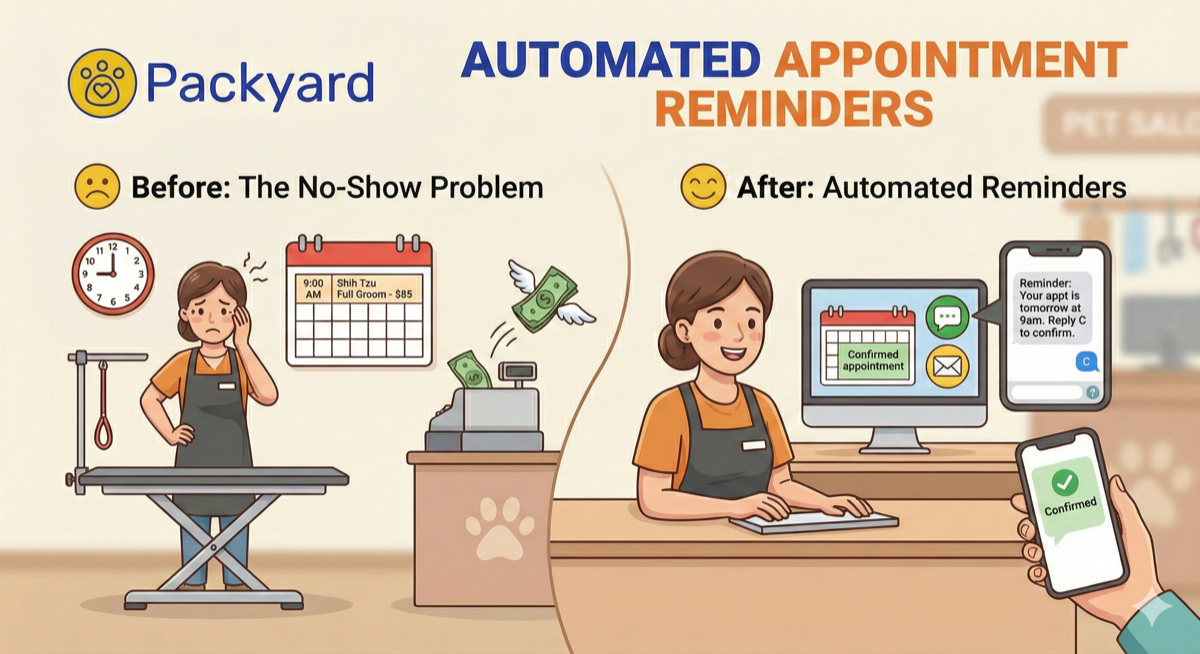
Next, calculate the cost of no-shows and cancellations. Missed appointments equal lost revenue. Average ticket multiplied by missed slots per month gives you direct loss. Automated reminders typically cut no-shows significantly.
Then factor in payroll errors. Manual timesheets lead to disputes, overpayments, and correction time. Even 30 minutes weekly fixing errors adds up to 26 hours annually, with each payroll error costing businesses an average of $291 per incident.
Finally, estimate productivity gains. Faster checkout, less phone tag, clearer schedules. Time reclaimed gets reinvested in billable work. A $50/month tool that saves 4 hours weekly and prevents 2 no-shows monthly pays for itself many times over, with research showing workforce management delivers $12.24 for every dollar spent.
How to Implement Staff Management Software Successfully
1. Audit your current workflow and pain points
Before picking a tool, document where time leaks. Scheduling chaos? Missed confirmations? Payroll errors? This audit shapes which features actually matter for your operation.
2. Migrate client and employee data
Most tools offer CSV import. Clean your data first. Duplicates and outdated contacts cause problems downstream. Start with accurate records.
3. Train your team on the new system
Don’t just hand over login credentials. Walk the team through daily workflows: viewing schedules, clocking in, sending messages. Resistance drops when people understand how the system works.
4. Set clear policies for scheduling and communication
Decide your rules: How far in advance are schedules posted? How are swaps requested? Written policies let the tool enforce consistency rather than relying on memory.
5. Monitor results and adjust settings
Check reports after the first month. Are reminders reducing no-shows? Are clock-ins accurate? Tweak settings based on actual results, not assumptions.
Stop Managing Chaos and Start Managing Your Team
Staff management software replaces scattered systems with one streamlined workflow. For appointment-based businesses like grooming, tools built for your industry deliver faster ROI because they match how your day actually runs. Service stacking, client records, and payment integration come built in rather than bolted on.
Frequently Asked Questions About Staff Management Tools
What is the difference between staff management software and HR software?
Staff management software focuses on daily operations like scheduling, time tracking, and communication. HR software (HRIS) handles broader functions like benefits administration, performance reviews, and compliance documentation. Many platforms now combine both, though depth varies by provider.
Can staff management tools handle tip tracking and distribution?
Some employee management apps include tip tracking and pooling, especially platforms built for restaurants or salons. Verify this feature exists before assuming it’s included. General-purpose tools often lack tip functionality entirely.
Which staff management tools integrate with Square?
Square Team Management is native to Square. Packyard, Homebase, and Deputy offer Square integrations. Check each tool’s integration page to confirm current compatibility and depth of connection.
How long does it take to set up staff management software?
Basic setup, including importing staff and building a schedule, takes a few hours. Full implementation with integrations, policies, and training typically requires one to two weeks depending on team size and complexity.
Do staff management tools work for mobile or field-based teams?
Yes. Many employee management systems include mobile apps with GPS clock-in, route tracking, and remote schedule access designed specifically for deskless and field workers.
Is staff management software worth it for businesses with fewer than five employees?
Even small teams benefit from automated scheduling and time tracking. Free tiers from Homebase or Clockify often provide enough functionality without a paid subscription. Test before committing to a paid plan.
How do staff management tools handle multiple locations?
Most platforms support multi-location setups with separate schedules, permissions, and reporting per site. Look for this feature explicitly if you operate more than one location.